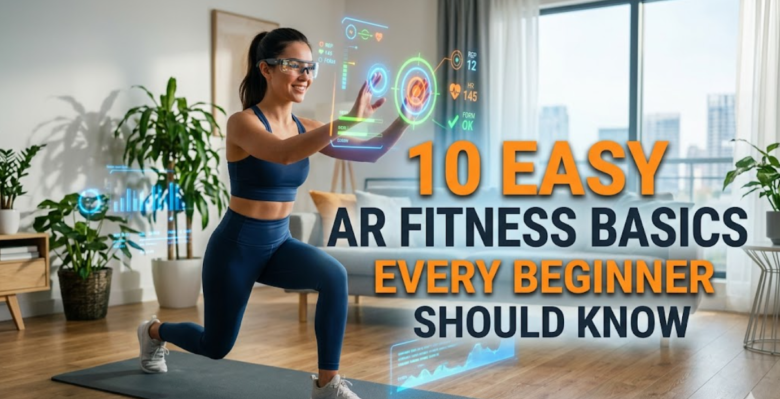
Augmented reality (AR) fitness has moved from a futuristic idea into something people casually use at home, in parks, and even at gyms. In 2026, you don’t need expensive equipment or complicated setups to experience it—just a smartphone or AR-enabled device.
But here’s the thing most beginners miss: AR fitness is not just “playing games while moving.” It works best when you understand the basics behind how it functions, how your body interacts with it, and how to avoid common mistakes that reduce results.
This guide breaks everything down into simple, practical fundamentals that anyone can follow—even if you’ve never used an AR app before.
what AR fitness actually is (in simple terms)
AR fitness combines real-world movement with digital overlays. That means your phone camera or AR device recognizes your environment and adds virtual elements on top of it.
These elements might include:
- virtual trainers correcting your form
- moving targets to chase or hit
- animated obstacles to avoid
- real-time score tracking
- interactive workout missions
Unlike traditional fitness apps, AR fitness turns movement into an interactive experience instead of a passive routine.
basic comparison: traditional vs AR fitness
| Feature | Traditional Fitness Apps | AR Fitness Apps |
|---|---|---|
| Engagement | Medium | High |
| Feedback | Delayed | Real-time |
| Motivation | Self-driven | Game-driven |
| Environment | Static screen | Real-world + digital overlay |
| Learning curve | Low | Low to medium |
- understand your device capabilities first
Before jumping into AR fitness, it’s important to understand what your device can actually handle.
Most AR fitness apps require:
- a smartphone with a decent camera
- gyroscope and motion sensors
- stable internet (for some apps)
- enough processing power for real-time tracking
Device capability chart:
| Device Type | AR Performance | Recommended Use |
|---|---|---|
| Basic smartphones | Low–medium | Simple AR games |
| Mid-range phones | Medium | Most AR fitness apps |
| Flagship phones | High | Full AR tracking + AI coaching |
| AR glasses | Very high | Immersive workouts |
If your device struggles, your experience will feel laggy and frustrating—so this step matters more than most beginners realize.
- learn how motion tracking actually works
Most AR fitness apps rely on motion tracking. That means your device is constantly analyzing:
- body posture
- joint movement
- speed and direction
- spatial positioning
Some apps use simple camera tracking, while advanced ones use AI pose estimation.
Motion tracking breakdown:
| Tracking Method | Accuracy | Use Case |
|---|---|---|
| Camera-only tracking | Basic | Casual workouts |
| AI pose estimation | High | Full-body workouts |
| Wearable integration | Very high | Advanced training |
Understanding this helps you avoid one common mistake: expecting perfect precision from low-end apps.
- start with short sessions instead of long workouts
A major beginner mistake is treating AR fitness like traditional gym training.
But AR fitness is more mentally engaging—and that means you often don’t notice fatigue until later.
Recommended beginner structure:
| Week | Session Length | Frequency |
|---|---|---|
| Week 1 | 10–15 minutes | 3–4 times/week |
| Week 2 | 15–20 minutes | 4–5 times/week |
| Week 3+ | 20–30 minutes | 5–6 times/week |
Short sessions help your body adapt while keeping motivation high.
- understand the “game loop” of AR fitness
Every AR fitness app is built like a game, even if it doesn’t look like one.
The loop usually looks like this:
Trigger → Action → Feedback → Reward → Progression
Example:
| Stage | What Happens |
|---|---|
| Trigger | Virtual target appears |
| Action | You move or exercise |
| Feedback | Score or correction appears |
| Reward | Points or progress bar increases |
| Progression | Harder level unlocks |
This loop is what keeps users engaged longer than traditional workouts.
- choose the right space for AR workouts
Your environment matters more than most beginners expect.
Ideal AR fitness space requirements:
- enough room to move arms freely
- non-slippery floor
- good lighting for camera tracking
- minimal background clutter
Space suitability chart:
| Space Type | Suitability | Reason |
|---|---|---|
| Small bedroom | Medium | Limited movement |
| Living room | High | Flexible space |
| Outdoor park | Very high | Open movement |
| Crowded gym | Low | Tracking interference |
If your environment is wrong, even the best AR app will feel inaccurate.
- don’t ignore calibration steps
Most AR apps require initial calibration. This step ensures the system understands your body size, posture, and movement range.
Typical calibration includes:
- standing in a specific position
- performing basic movements
- adjusting camera angle
- setting height or body profile
Skipping calibration leads to:
- inaccurate tracking
- poor scoring
- frustrating experience
Think of it like setting difficulty before starting a game.
- learn to trust feedback—but not blindly
AR fitness apps give real-time feedback, but they are not perfect trainers.
They might:
- misread movement occasionally
- struggle in poor lighting
- lag during fast motions
Feedback reliability chart:
| Feedback Type | Reliability |
|---|---|
| Posture correction | High |
| Speed tracking | Medium |
| Complex movement analysis | Medium–low |
| Calorie estimation | Approximate |
Best practice: use AR feedback as guidance, not absolute truth.
- focus on consistency, not intensity
One of the biggest advantages of AR fitness is that it makes consistency easier.
Instead of exhausting workouts, you get short, engaging sessions that feel like play.
Consistency comparison:
| Method | Weekly Dropout Risk |
|---|---|
| Gym workouts | Medium–high |
| Video workouts | Medium |
| AR fitness games | Low |
Why? Because AR fitness removes the “mental resistance” of starting a workout.
- understand different AR fitness styles
Not all AR fitness apps work the same way. Beginners should understand the main categories.
AR fitness types:
| Type | Example Experience | Best For |
|---|---|---|
| Gamified movement | Dodging objects | Beginners |
| Running AR | Virtual races | Cardio users |
| Strength AR | Trainer overlays | Muscle building |
| Dance AR | Rhythm workouts | Fun cardio |
| Combat AR | Punch tracking | Advanced users |
Choosing the wrong type often leads to early burnout.
- avoid common beginner mistakes
Most beginners fail not because AR fitness doesn’t work—but because they misuse it.
Common mistakes:
- using too small a space
- skipping calibration
- expecting gym-level precision immediately
- ignoring posture corrections
- overtraining too early
Mistake impact chart:
| Mistake | Effect |
|---|---|
| Poor lighting | Tracking errors |
| Overtraining | Burnout |
| Wrong app type | Low motivation |
| Skipping calibration | Inaccuracy |
Fixing these early improves results dramatically.
why AR fitness works psychologically
AR fitness succeeds because it combines three powerful motivators:
- play (it feels like a game)
- progress (levels and scores)
- presence (you move in real space)
This combination triggers higher engagement than traditional workouts.
simple beginner weekly plan
| Day | Activity Type | Duration |
|---|---|---|
| Monday | Light AR cardio | 15 min |
| Tuesday | Rest or walking AR app | 10 min |
| Wednesday | Strength AR session | 20 min |
| Thursday | Rest | |
| Friday | Mixed AR game workout | 20 min |
| Saturday | Outdoor AR walk/run | 25 min |
| Sunday | Rest |
future direction of AR fitness basics
In the next few years, beginners will see:
- automatic posture correction without setup
- AR glasses replacing phones
- AI coaches adapting workouts live
- multiplayer AR fitness games
What feels advanced today will likely become standard very soon.
FAQs
- Do I need expensive equipment for AR fitness?
No. Most AR fitness apps only require a smartphone with a decent camera and sensors. - Is AR fitness good for beginners?
Yes. In fact, it is often easier for beginners because it feels like a game rather than a workout. - Can AR fitness help with weight loss?
Yes, if used consistently. It increases daily movement and encourages regular activity. - How long should beginners use AR fitness daily?
Start with 10–20 minutes per session and gradually increase based on comfort. - Is AR fitness safe for everyone?
Generally yes, but people with mobility issues should choose low-impact AR apps and consult professionals if needed. - Why does AR fitness feel more fun than normal workouts?
Because it uses game mechanics like rewards, challenges, and interactive environments to keep users engaged.