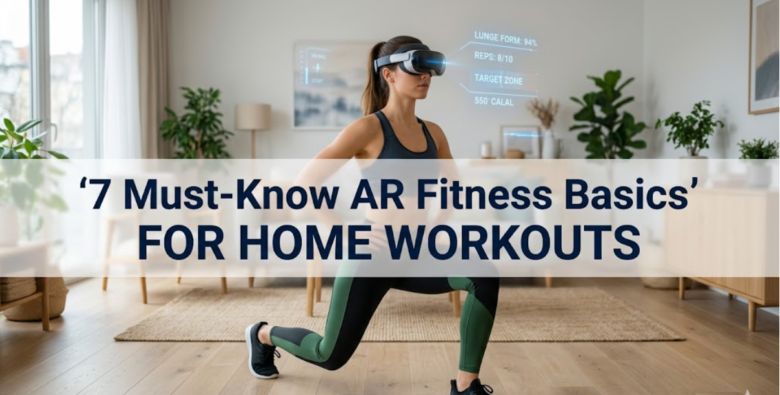
Augmented Reality (AR) fitness is quietly changing how people approach exercise at home. Instead of staring at a flat video or following repetitive instructions, AR brings movement into your actual environment. Your living room becomes a training space, your hallway turns into a running lane, and your phone or headset becomes a personal coach.
But while AR fitness sounds effortless, most people don’t get the best results because they miss the fundamentals. They install an app, try it once, and assume the hype is overblown. In reality, AR fitness works extremely well when the basics are understood and applied correctly.
This guide breaks down 7 must-know AR fitness basics for home workouts in a practical, realistic way. It also includes structured tables, comparison charts, and planning templates so you can actually apply what you learn instead of just reading theory.
understanding what AR fitness really is
Before jumping into the basics, it’s important to understand what AR fitness actually does.
AR fitness uses your phone, tablet, or AR glasses to overlay digital instructions, objects, or challenges into your real-world environment. Unlike traditional workout apps, AR responds to your movements in real time.
Simple breakdown:
| Traditional Fitness App | AR Fitness App |
|---|---|
| You follow instructions | You interact with visuals |
| Static video guidance | Dynamic environment feedback |
| Repetitive structure | Adaptive challenges |
| Limited engagement | Game-like immersion |
The key difference is interaction. AR doesn’t just tell you what to do—it reacts to you.
basic 1: understanding your workout space
One of the most overlooked aspects of AR fitness is space preparation. Many users assume any corner of their home will work, but AR systems rely heavily on movement tracking.
You don’t need a gym-sized room, but you do need a defined and safe area.
ideal home setup guidelines:
| Requirement | Recommendation |
|---|---|
| Floor space | Minimum 6×6 feet |
| Lighting | Bright, even lighting |
| Obstacles | Remove furniture nearby |
| Surface | Non-slippery flooring |
| Ceiling height | At least 8 feet |
why space matters:
AR apps track motion using cameras or sensors. If your environment is cluttered or poorly lit, tracking accuracy drops, which reduces workout quality.
A simple rule: if you can’t walk forward 10 steps without bumping into something, your space is not ready for AR fitness.
basic 2: device positioning and calibration
Your device is your trainer in AR fitness. Whether you’re using a phone, tablet, or headset, positioning is critical.
Most beginners make the mistake of holding the device randomly or placing it too low/high.
recommended setup:
| Device Type | Ideal Position |
|---|---|
| Smartphone | Chest to eye level (tripod or stand) |
| Tablet | Slightly above waist height |
| AR headset | Naturally aligned with eyes |
calibration process (generalized):
- Open AR fitness app
- Stand in center of your workout space
- Slowly rotate 360 degrees
- Allow environment mapping
- Confirm floor and boundary detection
why calibration matters:
Without proper calibration, AR elements may float incorrectly or fail to align with your movement, which breaks immersion and reduces effectiveness.
Think of calibration as “teaching the app your room.”
basic 3: lighting conditions and tracking accuracy
Lighting is one of the biggest hidden factors in AR fitness performance.
Too dark → tracking fails
Too bright (backlight) → sensors get confused
Uneven lighting → distorted movement mapping
ideal lighting setup:
| Condition | Effect |
|---|---|
| Natural daylight | Best accuracy |
| Warm indoor lighting | Good stability |
| Dim lighting | Poor tracking |
| Strong backlight | Inconsistent motion detection |
quick improvement tips:
- Avoid standing directly in front of windows
- Use overhead lighting instead of side lamps
- Keep your face and body evenly lit
- Avoid moving shadows on the floor
good lighting doesn’t just improve visuals—it directly affects how well the app understands your movement.
basic 4: learning AR interaction mechanics
Unlike traditional workouts, AR fitness requires interaction with virtual elements.
These may include:
- Floating targets
- Virtual obstacles
- Motion-triggered objects
- Real-time scoring zones
interaction types explained:
| Interaction Type | Example | Purpose |
|---|---|---|
| Tap/Reach | Touch floating object | Coordination |
| Dodge | Avoid virtual barriers | Agility |
| Chase | Follow moving targets | Cardio intensity |
| Align | Match body positions | Form correction |
why this matters:
Many beginners treat AR workouts like passive exercise. In reality, AR fitness is closer to a hybrid of gaming and training. You must react, not just move.
basic 5: movement safety and injury prevention
Because AR fitness is immersive, people often move faster or more unpredictably than they would in normal workouts. This increases injury risk if not managed properly.
common risks:
- Overstepping in small rooms
- Colliding with furniture
- Poor landing mechanics during jumps
- Neck strain from looking at screens
safety checklist:
| Safety Factor | Recommendation |
|---|---|
| Flooring | Use mats if possible |
| Shoes | Wear supportive trainers |
| Space buffer | Keep 2–3 feet clearance around you |
| Intensity control | Start slow, increase gradually |
important principle:
Just because AR makes fitness feel like a game doesn’t mean your body stops following physical laws.
basic 6: progression tracking and consistency
One of the biggest advantages of AR fitness is built-in progression systems. However, many users ignore them and treat each session as isolated.
To get real results, you need to track progression.
progress tracking table:
| Metric | Beginner | Intermediate | Advanced |
|---|---|---|---|
| Sessions per week | 2–3 | 3–5 | 5–6 |
| Duration | 10–15 min | 20–30 min | 30–45 min |
| Intensity level | Low | Moderate | High |
| Goal type | Habit building | Fat loss | Performance |
what to track:
- Calories burned
- Reaction speed
- Completion rate
- Movement accuracy
- Weekly streaks
why consistency matters:
AR fitness systems reward repetition. The more you use them, the more personalized and accurate they become.
basic 7: balancing AR workouts with real fitness goals
A common misconception is that AR fitness alone is enough for complete physical transformation. While it’s highly effective for cardio, coordination, and consistency, it should still be aligned with broader fitness goals.
balanced weekly structure example:
| Day | Workout Type |
|---|---|
| Monday | AR cardio session |
| Tuesday | Strength training (bodyweight) |
| Wednesday | AR agility workout |
| Thursday | Rest or stretching |
| Friday | AR interval training |
| Saturday | Mixed workout (AR + strength) |
| Sunday | Recovery walk |
why balance matters:
AR fitness improves engagement, but strength, flexibility, and recovery still require traditional training approaches.
how AR fitness changes home workouts
To understand the full impact of AR fitness, it helps to compare it with traditional home workouts.
comparison chart:
| Feature | Traditional Home Workout | AR Home Workout |
|---|---|---|
| Engagement | Medium | High |
| Motivation | External | Internal + Game-based |
| Equipment need | Sometimes | Minimal |
| Learning curve | Low | Medium |
| Fun factor | Moderate | High |
| Consistency rate | Variable | Higher |
AR fitness doesn’t just change exercises—it changes behavior.
weekly AR fitness structure (practical template)
Here’s a realistic weekly plan for beginners using AR fitness at home:
weekly plan table:
| Day | Activity | Duration | Focus |
|---|---|---|---|
| Monday | AR full-body workout | 15 min | Activation |
| Tuesday | Light AR cardio game | 10–15 min | Fat burn |
| Wednesday | Rest / stretching | 10 min | Recovery |
| Thursday | AR agility drills | 20 min | Coordination |
| Friday | Mixed AR session | 25 min | Endurance |
| Saturday | Free play AR workout | 20 min | Fun + movement |
| Sunday | Rest | – | Recovery |
This structure avoids burnout while keeping engagement high.
common mistakes in AR fitness home workouts
Even with good apps, users often struggle because of avoidable mistakes.
top mistakes list:
| Mistake | Result |
|---|---|
| Poor lighting setup | Tracking errors |
| Cluttered space | Safety risks |
| Overtraining early | Burnout |
| Ignoring calibration | Poor accuracy |
| Not tracking progress | No improvement visibility |
fixing these alone can significantly improve results.
future of AR fitness at home
AR fitness is still early in its evolution, but trends are clear:
- More AI-driven coaching
- Wearable integration (heart rate + motion)
- Full-room AR mapping
- Real-time posture correction
- Multiplayer home workouts
The long-term direction is toward fully interactive home gyms where digital and physical training blend seamlessly.
final thoughts
AR fitness works best when treated as a system, not just an app. The technology is powerful, but its effectiveness depends heavily on how you set up your environment, manage consistency, and interact with the experience.
The 7 basics covered here—space setup, calibration, lighting, interaction, safety, progression, and balance—form the foundation of every successful AR home workout routine.
If these are applied correctly, AR fitness stops being a novelty and becomes a sustainable training method that actually keeps people moving.
FAQs
- Do I need expensive equipment for AR fitness at home?
No. Most AR fitness apps only require a smartphone or tablet. Some advanced systems may use wearables, but they are optional. - Is AR fitness suitable for beginners?
Yes. Many AR fitness apps are designed specifically for beginners and gradually increase difficulty based on performance. - How much space do I really need for AR workouts?
A small clear area of around 6×6 feet is usually enough, as long as it is free from obstacles. - Can AR fitness help with weight loss?
Yes, especially for cardio-based AR workouts. Consistency is more important than intensity in early stages. - Is AR fitness safe for daily use?
Yes, if proper safety measures like space clearance, lighting, and gradual intensity progression are followed. - What is the biggest mistake beginners make in AR fitness?
Most beginners ignore calibration and space setup, which leads to poor tracking and reduced workout effectiveness.