Honestly, I went into this whole augmented reality fitness thing pretty skeptical. I’d seen the ads, watched a few YouTube videos, and thought — okay, this is just fancy marketing for people who are bored of regular workouts. A gimmick dressed up in tech clothing.
Then my physiotherapist suggested I try an AR-based movement tracker after a minor knee injury last year. I didn’t want to. I did it anyway. And somewhere between my third session and my sixth, I realized I’d been completely wrong.
What surprised me wasn’t just that the gear worked — it’s that it worked in ways I didn’t expect. Not always in the ways the product pages promised, either. Some things blew me away. Others were a total letdown until I figured out how to use them properly.
So here’s my honest take on four pieces of AR fitness gear I’ve actually tested this year. No fluff. No affiliate-speak. Just what I found.
1. Holofit by Holodia (VR/AR Rowing & Cycling Overlay) — The One That Changed My Cardio Routine
I picked this up because I have a stationary bike that I genuinely hate using. It’s functional, it’s boring, and I’d been using it as a very expensive laundry rack for about eight months.
Holofit overlays immersive AR environments onto your cycling (or rowing) sessions. You’re suddenly pedaling through ancient Egyptian landscapes or floating through space. Sounds ridiculous. Feels surprisingly real once you’re in it.
What actually surprised me:
The gamification is more effective than I expected on a psychological level. I’m not someone who typically responds well to “achievement badges” or leaderboards — they feel hollow to me. But the AR environment responds to your effort in real time. Pedal faster, and your virtual avatar accelerates. Slow down, and you feel the difference visually. That feedback loop hit differently.
I started doing 35-minute sessions without realizing time had passed. Previously, 15 minutes felt like a slow death.
Where it got tricky:
Setup took longer than advertised. Pairing the cadence sensor with my older bike model required a firmware update that wasn’t clearly documented. I spent about 45 minutes troubleshooting before finding a Reddit thread that explained it.
Also — and this matters — if you’re prone to motion sickness, start with shorter sessions. My first two experiences left me feeling slightly off-balance afterward. By week two, that completely went away.
Verdict: Genuinely transformed how I use my stationary equipment. If you want to actually use the cardio gear you already own, this kind of overlay experience is worth exploring seriously. I wish I’d known about it a year ago.
| Feature | Rating (out of 5) |
|---|---|
| Immersion Quality | ⭐⭐⭐⭐⭐ |
| Setup Ease | ⭐⭐⭐ |
| Motion Sickness Risk | Medium (fades with use) |
| Value for Money | ⭐⭐⭐⭐ |
2. FORME Studio AR Mirror — The One I Almost Returned
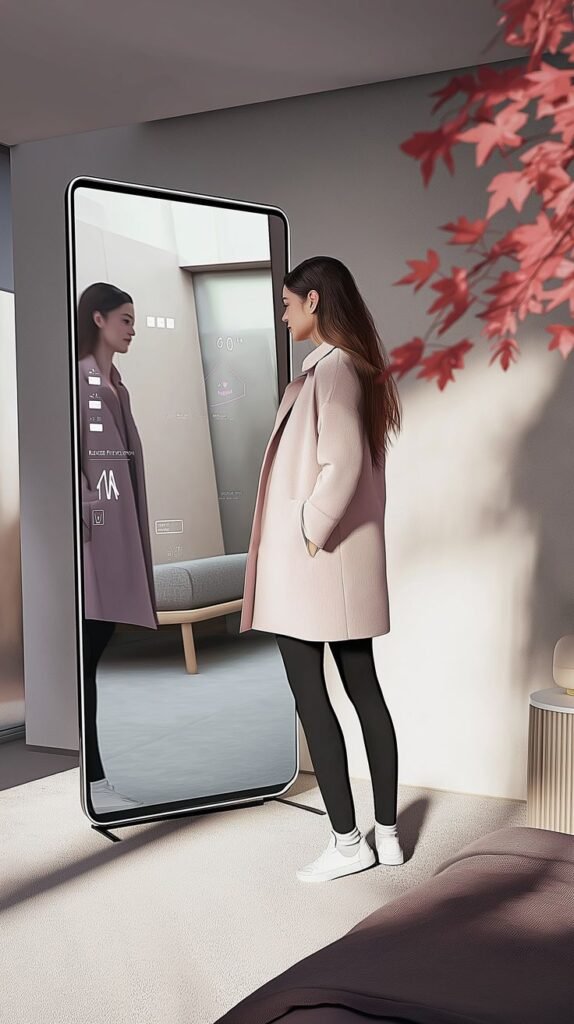
I’ll be honest. When this arrived, I thought I’d made a terrible financial decision.
The FORME Studio is essentially a full-length smart mirror that uses computer vision and AR overlays to project form coaching onto your reflection in real time. It watches you do squats, lunges, overhead presses — and then draws correction lines over your body showing where your alignment is off.
In theory: incredible. In practice (first two weeks): deeply frustrating.
What went wrong initially:
The form detection is calibrated for a specific range of body types and heights. I’m 5’11” with longer-than-average limbs, and the initial skeleton tracking kept misreading my arm position during presses. It was telling me my elbows were collapsing when they weren’t. I was spending more time arguing with a mirror than actually training.
I almost boxed it back up.
What changed:
The app has a manual calibration mode buried three menus deep. Once I spent 20 minutes on that single setup step — going through each movement with the system learning my proportions — everything shifted. The accuracy went from frustrating to genuinely impressive.
Now it catches things my own eye misses. My right shoulder has a compensation pattern I wasn’t aware of until the mirror flagged it consistently across three sessions. My physiotherapist confirmed it when I mentioned it at my next appointment.
That was the moment I stopped seeing it as a gadget and started seeing it as a training tool.
The mistake I’d warn you about:
Don’t skip the calibration. I know it seems tedious. Do it anyway. The default settings are not optimized for most people, and if you judge this device without calibrating it properly, you’ll return it and miss out on something genuinely useful.
For more on how AR tools can quietly reshape your approach to movement, 9 beginner AR body health secrets to transform your self-care is worth a read — a lot of what’s covered there lines up with what I experienced with the mirror.
| Feature | Rating (out of 5) |
|---|---|
| Form Detection (post-calibration) | ⭐⭐⭐⭐⭐ |
| Setup Complexity | ⭐⭐ (steep learning curve) |
| Long-Term Training Value | ⭐⭐⭐⭐⭐ |
| Worth the Price? | Yes — if you commit to learning it |
3. Supernatural (Meta Quest AR Fitness App) — The One That Made Me Feel Like a Kid Again
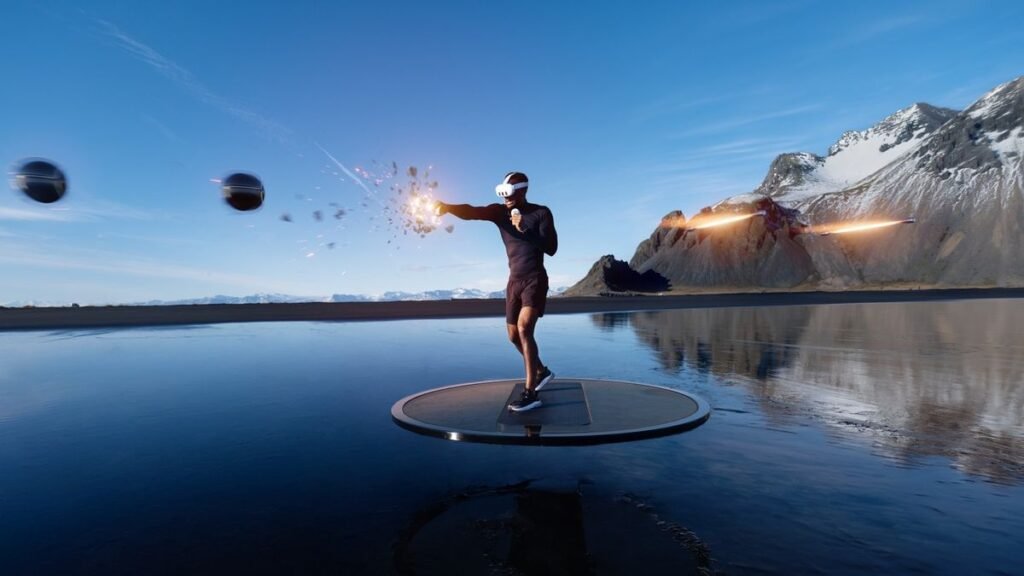
This one genuinely caught me off guard because I expected to feel silly using it. I’m in my mid-30s, I have a home gym setup, and I take training reasonably seriously. A VR fitness game felt like something for people who can’t bring themselves to exercise otherwise.
I was wrong, and I’m glad I was.
Supernatural uses AR-enhanced environments (stunning real-world landscapes: Patagonia, Iceland, Saharan dunes) combined with full-body movement coaching. You’re swinging virtual targets in rhythm to music while moving through breathtaking scenery. It’s part dance, part combat, part cardio — and it’s coached by actual fitness professionals.
What legitimately surprised me:
The calorie burn. I tracked my sessions with a chest-strap heart rate monitor alongside the Quest’s built-in tracking. On a 30-minute flow session, I was consistently hitting 340–380 calories. That’s comparable to a solid HIIT session for me. Except I wasn’t grimacing through it. I was genuinely enjoying myself.
There’s also a coaching layer that’s more sophisticated than it looks. The coaches give real-time cues about posture and breathing, and the target placement is designed to force full range-of-motion movement. Your shoulders, hips, and core are all engaged because the game requires it, not because you’re white-knuckling through reps.
What I’d change:
The subscription model stings a little. It’s around $19/month after the trial, and on top of the Quest hardware cost, that adds up. I think it’s worth it if you use it consistently (I aim for 4 sessions a week), but it’s definitely a commitment to evaluate honestly.
Also, the physical space requirement is real. You need a clear 6×6 foot minimum area. I rearranged my living room twice before finding the right setup.
The unexpected bonus:
My stress levels dropped noticeably in weeks where I used it regularly. That’s subjective, obviously. But there’s something about moving your whole body through beautiful virtual environments with music you love that hits a reset button other workouts don’t touch. I wasn’t expecting a mental health benefit from a fitness game.
If you’re curious how AR workouts are shifting the whole approach to movement motivation, 10 AR fitness hacks to make 2025 your year of movement covers this territory really well.
| Feature | Rating (out of 5) |
|---|---|
| Fun Factor | ⭐⭐⭐⭐⭐ |
| Actual Workout Intensity | ⭐⭐⭐⭐ |
| Coaching Quality | ⭐⭐⭐⭐ |
| Value (with subscription) | ⭐⭐⭐ |
4. WHOOP 4.0 with AR Recovery Insights (via Third-Party Integration) — The Quiet Overachiever
This one’s a little different from the others because WHOOP itself isn’t strictly an AR device. But the way it integrates with AR overlay platforms — particularly when paired with smart mirror setups or certain training apps — turns it into something that earns a place in this list.
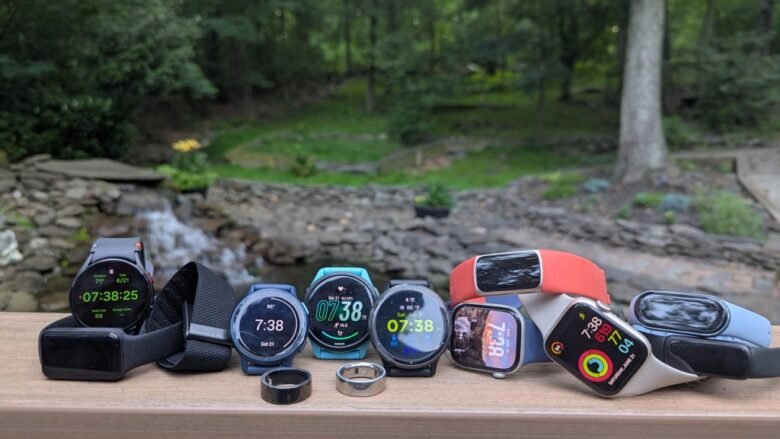
WHOOP 4.0 is a continuous biometric tracker. No screen, no steps counter theater. It measures HRV (heart rate variability), sleep quality, respiratory rate, and skin temperature — then generates a daily “strain” and “recovery” score. When that data feeds into AR training environments, the experience changes fundamentally.
What I mean practically:
On days when my recovery score is low (under 33%), my AR training app pulls that data and adjusts the session. Lighter overlays, lower target intensity, more mobility-focused movements. On high recovery days (67+%), it escalates appropriately. The AR environment literally responds to how my body is feeling that day.
That’s not something I was doing with any previous training approach. I’d either train hard regardless of how I felt, or I’d skip out entirely when tired. The nuanced middle ground — training purposefully at the right intensity for your body’s current state — was something I only found through this kind of integration.
The surprise:
I discovered a consistent pattern I hadn’t noticed before. My recovery tanks every Tuesday and Wednesday — correlating with late Monday work sessions that push my sleep past midnight. That insight, surfaced through the AR dashboard, led me to a practical schedule change. I shifted my hardest training days to Thursday and Saturday. My performance metrics improved within three weeks.
A wearable revealed a lifestyle pattern. I didn’t expect that.
What to watch out for:
WHOOP doesn’t work as a standalone AR experience — you need compatible software and ideally a mirror or headset to visualize the data overlays. If you’re expecting an out-of-box AR fitness experience, this isn’t it. It’s more powerful but requires more intentional setup.
Also, the armband can be uncomfortable in summer heat. Small thing, but worth knowing.
| Feature | Rating (out of 5) |
|---|---|
| Biometric Accuracy | ⭐⭐⭐⭐⭐ |
| AR Integration Potential | ⭐⭐⭐⭐ |
| Ease of Setup | ⭐⭐⭐ |
| Insight Quality | ⭐⭐⭐⭐⭐ |
Common Mistakes I’d Tell Anyone Starting Out
After going through all four of these, a few things stand out as patterns worth flagging:
Don’t judge AR gear in the first session. Almost every device I tested had a learning curve that looked like failure before it looked like progress. The FORME mirror nearly got returned. Holofit made me nauseous. Give anything at least two weeks of consistent use before deciding.
Calibration is not optional. Every single one of these devices has manual calibration settings that most people skip because setup wizards feel tedious. The default settings are averages. You are not average. Spend the time.
Pair AR tools with real recovery practices. AR can make training more engaging and more precise, but it doesn’t replace sleep, nutrition, and actual rest. I’ve seen people use gamified fitness apps to justify overtraining because it “doesn’t feel like exercise.” It still is.
Check your physical space before buying. Especially for headset-based systems. I know this sounds obvious, but I rearranged furniture twice and still occasionally clip my knuckles on a bookshelf mid-session.
For a deeper look at how to set up your environment for AR workouts in a way that actually makes sense, 6 preparing to get fit quick start with AR workouts in minutes has a practical breakdown that aligns with a lot of what I learned the hard way.
Side-by-Side Comparison
| Device | Best For | Price Range | Learning Curve | Standout Feature |
|---|---|---|---|---|
| Holofit (Holodia) | Cardio/Stationary Equipment | $$ | Medium | Real-time environment response |
| FORME Studio Mirror | Strength/Form Correction | $$$$ | High (worth it) | Body alignment AR overlay |
| Supernatural (Meta Quest) | Full-body cardio + fun | $$ + subscription | Low | Immersive landscapes + music |
| WHOOP 4.0 + AR Integration | Recovery-aware training | $$$ | Medium-High | Biometric-driven session adjustment |
Final Thoughts
The thing none of these product pages tell you is that AR fitness gear rewards patience. Every single device I tested had a moment — usually around days 10–14 — where something clicked and the experience became noticeably more valuable than it was at launch.
The gear that surprised me most wasn’t the flashiest. It was the FORME mirror, which I nearly returned, and the WHOOP integration, which I initially dismissed as over-engineered. Both of them changed actual habits in measurable ways.
If you’re thinking about dipping into AR fitness this year, start with one thing. Use it properly. Give it real time. The tech is genuinely at a point where it can make you better — but it won’t do that if you treat it like a novelty and set it aside after a week.