Okay, real talk — I downloaded my first AR fitness app on a random Tuesday night when I was lying on my couch, telling myself I’d “start working out seriously next Monday.” You know how that goes.
A friend had sent me a reel of someone doing squats with virtual coaching overlays on their phone screen, and I thought, that actually looks kind of fun. Not gym-intimidating, not boring treadmill energy. Just… fun. So I tried it.
Three months later, I’m genuinely more consistent than I’ve ever been with fitness. Not because I found some magical willpower, but because these tools made working out feel less like a chore and more like something I actually wanted to open my phone for.
If you’ve been curious about AR fitness apps but don’t want to waste time downloading duds, here’s what actually held up after real use — and what to watch out for.
1. Supernatural (Meta Quest) — The One That Surprised Me the Most

I’ll be honest: I was skeptical. Paying for a VR/AR fitness subscription felt a little dramatic. But after borrowing a friend’s Meta Quest headset for a weekend, I completely got it.
Supernatural is technically a VR workout app, but it uses your physical surroundings and motion tracking in a way that feels very AR-adjacent — your body is the controller, and the environment responds to your real movements. You’re swinging a virtual bat at orbs flying toward you, squatting, lunging, and moving your whole body without ever thinking “I’m exercising.”
What I noticed after a week of use:
- I was sweating more than my regular HIIT sessions
- My legs were sore in places I hadn’t felt in months (those lunges are no joke)
- I actually looked forward to it — which is not something I say about workouts easily
The app has real coaches, licensed music (like actually good music), and daily workouts that range from 15 to 45 minutes. The variety keeps it fresh.
The catch? You need a Meta Quest headset, which is an upfront investment. And if you get motion sick easily, start with shorter sessions. I made the mistake of jumping straight into a 40-minute flow on day two and felt dizzy for a couple of hours afterward.
Best for: People who find traditional workouts boring and want something genuinely immersive.
Cost: Around $19.99/month after a free trial.
2. Peloton App (AR Guide Features) — More Useful Than I Expected
Before you scroll past thinking “that’s just a spin bike thing,” hear me out.
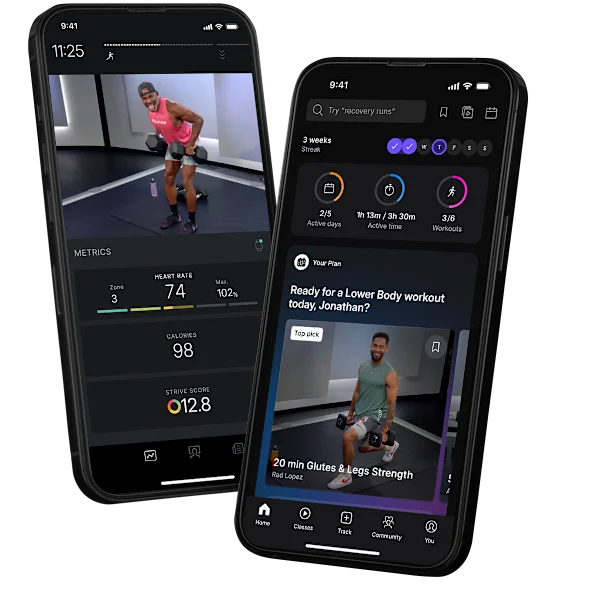
The Peloton app — especially since their interface updates — has leaned into AR-style form guidance and real-time movement overlays that show up during bodyweight and strength workouts. You don’t need the bike. You just need your phone or a tablet propped up.
I started using the app for floor workouts and was genuinely impressed by how the on-screen metrics and movement cues work. It’s not holographic overlays, but it’s smart visual coaching that adapts based on what you’re doing — and it uses your camera to help check your form in some modes.
What worked really well:
- The cueing is specific and actually useful (“drive your hips forward,” “keep your elbows stacked”) — not vague
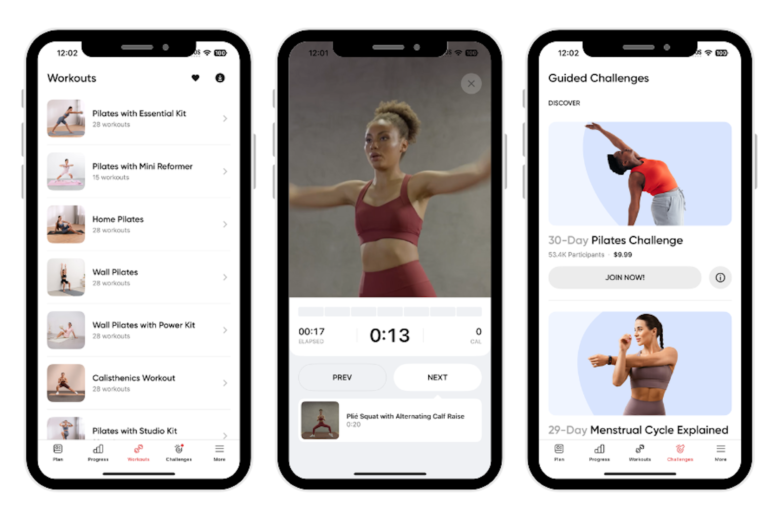
- The class library is massive — over 10,000 workouts across yoga, strength, cardio, meditation
- It works beautifully for home workouts with zero equipment
What didn’t work for me:
The AR form-check feature requires decent lighting. My apartment at 6 AM is basically a cave, and the camera struggled. I had to rearrange my setup and point a lamp at myself like I was filming a documentary about doing push-ups.
Still, once I got the setup right, the feedback was legitimately helpful. I’d been doing Romanian deadlifts with terrible form for years and didn’t realize it until this app flagged my hip positioning.
Quick tip: If you’re using Peloton’s app for strength training, position your phone at waist height, not propped on a shelf above you. The angle matters a lot for accurate form detection.
For more on building an effective AR workout setup at home, check out 7 Powerful AR Fitness Tools to Upgrade Your Home Workouts.
Best for: People who want variety, solid coaching, and a polished app experience without buying equipment.
Cost: Free tier available; Premium around $12.99/month.
3. Nike Training Club (with AR Movement Features) — The Free Option That Punches Above Its Weight
This one genuinely shocked me because it’s free and yet it holds up against paid competitors in ways that feel almost unfair.
Nike Training Club (NTC) has been around for a while, but recent updates added AR-assisted movement guidance through the camera — mostly for mobility, stretching, and bodyweight routines. It’s not as flashy as Supernatural, but it’s practical in a way that makes it easy to stick with.
Here’s what a typical session looks like:
- Open the app, pick a workout (they’re categorized by goal, time, and difficulty)
- Position your phone so the camera can see your body
- Start the workout — on-screen arrows and movement shadows guide your positioning
- Finish with a cool-down that actually uses your range of motion data to suggest stretches
The UX is clean, the trainers are good, and it doesn’t try to upsell you every five seconds.
My honest mistake with NTC: I skipped the beginner track because I thought it would be too easy. It was not. I tried jumping into an intermediate HIIT session on day one and essentially couldn’t walk normally for three days. Start where they tell you to start.
| Feature | Nike Training Club | Peloton App | Supernatural |
|---|---|---|---|
| Cost | Free | $12.99/mo | $19.99/mo |
| AR Features | Movement guidance | Form feedback | Full immersion |
| Equipment Needed | None | None | Meta Quest headset |
| Best For | Beginners & casual users | Variety seekers | Immersive experience lovers |
| Offline Access | Yes | Limited | No |
| Platform | iOS & Android | iOS, Android, Web | Meta Quest |
Best for: Anyone who wants to try AR-assisted fitness without spending anything first.
Cost: Free (with optional premium add-ons).
4. Kaia Health — The One I Recommend for People With Specific Goals
This one’s a bit different from the others, and it deserves its own conversation.
Kaia Health isn’t trying to make fitness feel like a video game. It’s specifically designed for people dealing with back pain, recovery, or mobility issues — and it uses AR motion analysis in a genuinely clinical way. The app watches your movements through your phone camera and gives you real-time corrections, like a physical therapist in your pocket.
I tried it during a period when I was dealing with lower back tightness from sitting at a desk all day. Traditional workout apps weren’t helping — they’d just make the pain worse. Kaia was completely different.
What the experience looked like:
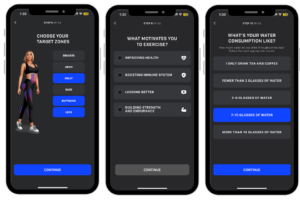
- I answered a detailed intake questionnaire about my symptoms and lifestyle
- The app generated a personalized movement program (not just generic stretches)
- During each session, the AR camera tracked my spine alignment and flagged when I was compensating incorrectly
- After two weeks, I had noticeably less tightness
It’s not glamorous or fun in the way Supernatural is. But it actually addressed a real problem in a way that felt evidence-based, not guesswork.
The downside: It’s more expensive than general fitness apps, and the interface feels a little clinical. If you’re looking for something motivating and energetic, this isn’t it. But if you have a specific physical issue and want something that actually works, it’s worth it.
If you’re exploring which AR tools make sense for your fitness goals, this breakdown of 9 Must-Have AR Fitness Tools for Beginners is a solid place to start.
Best for: People managing pain, injury recovery, or mobility limitations.
Cost: Around $29.99/month or covered through some health insurance plans.
Common Mistakes People Make with AR Fitness Apps
After talking to friends who’ve tried these tools and making my own share of errors, here are the things that trip people up most:
Starting too ambitious. Every single AR fitness app has beginner modes. Use them. Your ego will thank you in three days when you can still go up stairs normally.
Bad lighting and space setup. AR features depend on your camera seeing you clearly. Dark rooms, cluttered backgrounds, and phones placed at weird angles all mess with tracking. Spend five minutes setting up your space properly before your first session.
Skipping the onboarding. I know, onboarding feels like homework. But these apps build your profile during that phase. If you rush through it or give vague answers, your program will be generic and less effective.
Switching apps every week. It’s tempting to keep trying new things, but consistency is what actually produces results. Pick one app, use it for at least 30 days before evaluating whether it’s working.
Ignoring the form feedback. The whole point of AR assistance is real-time correction. If you’re just clicking through notifications without adjusting, you’re leaving the best feature unused.
How to Choose the Right One for You
If you’re trying to figure out which of these four actually fits your life, here’s a quick way to think about it:
Are you looking for something that makes fitness genuinely fun and immersive? → Supernatural is your pick. Yes, you need the headset, but the experience is in another league.
Do you want variety, great coaching, and a premium feel at a reasonable price? → Peloton App. Especially if you’re also doing yoga, strength, or meditation alongside cardio.
Are you new to fitness or on a budget? → Nike Training Club, no question. The free tier alone is better than most paid apps.
Are you dealing with pain, injury, or specific mobility issues? → Kaia Health. It’s the most specialized tool on this list and the one most likely to actually help with those problems.
The good news is that most of these have free trials, so you’re not committing blind. Try one for a week and see how it feels.
For a deeper look at what’s coming next in this space, 10 Powerful AR Fitness Trends That Will Change Everything gives you a solid preview of where things are headed.
A Few Things Worth Knowing Before You Download
AR fitness apps have gotten a lot better, but they’re still tools — they work best when you show up consistently. The most advanced form-tracking in the world won’t do much if you open the app once, decide it’s hard, and never go back.
What I’ve found is that the AR element specifically helps with the starting problem. It lowers the activation energy because it feels different from a regular workout. You’re not dreading another loop around the block or another rep counter on a screen. You’re doing something that feels almost playful.
That novelty matters more than people give it credit for.
Also — and this is something I didn’t expect — these apps have genuinely improved my body awareness. Knowing how my knees are tracking during a lunge, or whether my shoulders are actually squared, or how my spine is positioned during a stretch — I’m more tuned into my body during regular exercise now too. That’s an unexpected bonus I didn’t see coming.
Whether you’re a complete beginner or someone who’s just bored with your current routine, there’s an AR fitness option on this list that’s probably worth your time. The technology has matured enough that these aren’t just gimmicks anymore — they’re actual training tools that produce real results.