
I’ll be honest — the first time I tried an AR fitness app, I looked absolutely ridiculous. I was standing in my living room, arms flailing at invisible targets, nearly knocking over a lamp, while my dog watched me with what I can only describe as deep concern. But here’s the thing: I had just finished a 25-minute workout without once checking my phone to see how much time was left. That had never happened before.
That’s when I realized AR fitness wasn’t just a gimmick. It was actually solving a problem I didn’t know had a fix — making home workouts feel worth showing up for.
If you’ve been curious about augmented reality fitness but aren’t sure where to start, or you’ve downloaded one app and given up after three sessions, this guide is for you. These are the basics I wish someone had told me before I wasted two months doing it wrong.
1. Understand What AR Fitness Actually Does (and Doesn’t Do)
Before anything else, let’s clear up a misconception that tripped me up early on.
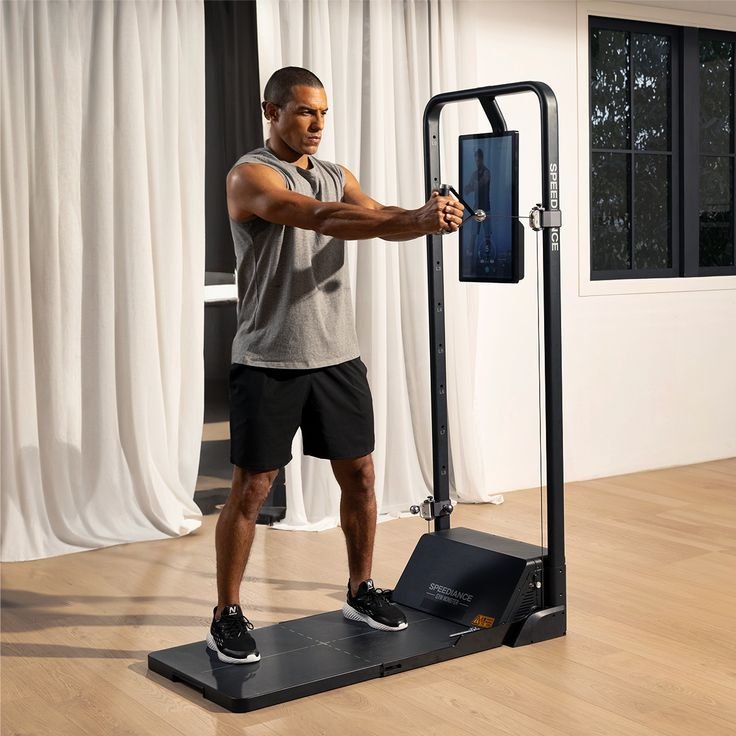
AR fitness doesn’t replace your physical effort. It doesn’t magically make you fitter by putting a headset on. What it does is layer digital information, coaching cues, targets, or game elements on top of your real environment — through your phone camera, smart glasses, or a headset like the Meta Quest.
Think of it like this: instead of staring at a blank wall while doing squats, you might be dodging virtual obstacles or hitting targets that appear in your actual room. Your legs are doing the same work. But your brain is engaged, not checked out.
The mistake I made? Expecting it to do the heavy lifting mentally. I thought AR would make everything automatic. It doesn’t. You still have to show up, put the device on, and move. What it changes is how that movement feels.
Once I shifted my expectation — AR as a motivation layer, not a miracle — everything started clicking.
Quick Comparison: Traditional Home Workout vs AR-Assisted Workout
| Factor | Traditional Home Workout | AR Fitness |
|---|---|---|
| Motivation level | Often drops after week 2 | Sustained through gamification |
| Form feedback | Self-monitored (often wrong) | Real-time AI or visual cues |
| Engagement | Repetitive, easy to skip | Interactive, goal-oriented |
| Equipment needed | Minimal | Phone/headset required |
| Learning curve | Low | Slight adjustment period |
| Cost | Usually free or low-cost | App subscriptions vary |
2. Start With Your Phone, Not a Headset
This is probably the most practical thing I can tell you: you do not need to spend $300–$500 on AR glasses or a VR/AR headset to get started.
Some of the best AR fitness experiences I’ve had came from nothing more than propping my phone against a water bottle on the kitchen counter.
Apps like Supernatural (Quest), FitXR, and Zombies, Run! offer varying degrees of AR and immersive fitness. But if you’re brand new, start with phone-based options. Nike Training Club has AR form-check features, and apps like Onyx and Kinexit use your phone camera to analyze your movement in real time.
When I started, I downloaded three apps in one week and burned out. Better approach: pick one, use it for 30 days, then evaluate. Consistency with one tool beats novelty-hopping across five.
Once you’re comfortable with the concept and you’re actually using it regularly, then consider upgrading your hardware.
For a broader look at what’s available right now, 10 Best AR Fitness Apps That Actually Work in 2026 is worth bookmarking — it breaks down options across different budgets and goals.
3. Set Up Your Space Before Your First Session

This one sounds obvious, but I genuinely didn’t do it — and I paid for it.
AR fitness requires spatial awareness. The app needs room to work, and so do you. My first week, I was working in a space barely big enough to extend my arms fully. The result? My AR targets kept appearing behind furniture, my phone couldn’t track my full body, and I ended up frustrated after 10 minutes.
Here’s a simple setup checklist I now follow every time:
Before you start any AR workout:
- Clear a minimum 6×6 foot area — more if you’re doing cardio-heavy sessions
- Ensure good lighting (natural light or a bright overhead lamp — not a dark corner)
- Position your phone or camera at chest height, slightly angled downward
- Check that your Wi-Fi signal is stable if you’re streaming workouts
- Remove trip hazards — seriously, I’ve stubbed my toe mid-burpee more than once
- Do a 2-minute camera calibration if your app requires it
Some AR apps like Tempo or Mirror (now part of Lululemon Studio) use cameras with built-in sensors that do most of this automatically. But for phone-based setups, the prep is on you.
A well-prepared space makes the difference between a session that feels seamless and one that feels like you’re fighting the technology the whole time.
4. Learn to Use Real-Time Form Feedback — It’s the Real Game Changer
Here’s something that surprised me: the form-correction feature in AR fitness tools is genuinely useful, and not in an annoying way.
I’ve had personal trainers correct my squat form, watched YouTube tutorials, read articles. None of it stuck the way real-time visual feedback did. When an AR overlay shows you exactly where your knee is tracking relative to your foot as you move, it bypasses the “I think I’m doing it right” guessing game entirely.
Apps like Kemtai and Onyx are particularly good at this. They use computer vision through your camera to track joint positions and flag errors — things like your back rounding during a deadlift or your elbows dropping during a push-up.
Common form mistakes AR feedback helped me catch:
- Knees caving inward during squats (apparently I’d been doing this for years)
- Hips dropping too low during planks
- Asymmetrical shoulder engagement during rows
- Heel lifting too early in a lunge
I used to dismiss form advice because I couldn’t see what was wrong in real time. AR feedback changed that. It’s worth choosing an app specifically for this feature if injury prevention or muscle development is your goal.
5. Use Gamification Strategically, Not Compulsively
Okay, real talk: AR fitness gamification is addictive — and that’s mostly a good thing, but not always.
The points, streaks, leaderboards, and level-ups are designed to trigger dopamine responses. For a lot of people (myself included), this is exactly what makes them actually work out when they otherwise wouldn’t. But I’ve also seen — and experienced — the flip side.
There was a two-week stretch where I pushed through a mild knee strain because I didn’t want to break a streak in Supernatural. That was dumb. The streak didn’t care. My knee, however, very much did.
How to use gamification without letting it use you:
- Set streak goals that include rest days (most apps allow this now)
- Use leaderboards for motivation, not comparison anxiety
- Treat your “score” as a measure of engagement, not fitness level
- Schedule planned “off” days in advance so missing a streak feels intentional
The gamification layer is there to serve your health goals — not the other way around. When you notice you’re working out for the app instead of for yourself, that’s a sign to recalibrate.
If you want to explore how AR fitness has evolved to keep users engaged, 9 Revolutionary AR Fitness Tech Innovations That Will Change Your Workout Forever goes deep on the science behind it.
6. Combine AR Tools With a Simple Progression Plan
This was my biggest mistake in the first three months of AR fitness: I treated every session as a standalone event. I’d open an app, pick whatever looked fun, do it, and close it. No structure, no progression, no way to know if I was actually improving.
AR tools are tools. They need a framework to work within.
Here’s the basic progression structure I now use — nothing fancy, just effective:
4-Week AR Fitness Progression Model (Beginner–Intermediate)
| Week | Focus | Duration | AR Feature to Use |
|---|---|---|---|
| Week 1 | Movement patterns & setup | 20 min/day, 3x week | Form feedback mode |
| Week 2 | Cardio base-building | 25 min/day, 4x week | Gamified cardio sessions |
| Week 3 | Strength + mobility | 30 min/day, 4x week | Guided strength overlays |
| Week 4 | Full workout integration | 35 min/day, 5x week | Mixed mode + score tracking |
The key is to track something — whether it’s calories, session duration, heart rate, or just how many workouts you completed. AR apps usually log this automatically. Actually look at that data week over week.
Progress in fitness isn’t always visible in the mirror. But a graph showing your average session length going from 18 minutes to 32 minutes over a month? That’s real, measurable growth.
7. Don’t Ignore the Mental Side of AR Fitness
This might sound a little unexpected in a fitness article, but stick with me.
One thing nobody tells you about AR fitness is how differently it affects your mental state compared to traditional home workouts. Standard home exercise — especially solo — can feel isolating. You’re in your living room, no instructor, no class energy, just you and a YouTube video that might buffer mid-plank.
AR changes the sensory environment. Even when the content is simple — hitting glowing targets, following a virtual trainer who appears in your room — it shifts the experience from “chore” to something closer to “event.”
I noticed after about six weeks of consistent AR workouts that my overall workout anxiety dropped significantly. I stopped dreading sessions. I even started looking forward to certain apps the way I used to look forward to a TV show.
That psychological shift is underrated and under-discussed in the fitness world.
A few mental wellness practices I pair with AR fitness:
- Set an intention before each session — even just one sentence: “Today I’m working on endurance.”
- Use the cool-down period seriously — most AR apps include guided stretches. Don’t skip them just because the gamified part is over.
- Celebrate the small wins — completing a 5-day streak or hitting a new high score matters more than it sounds.
- Take photos or notes of your environment setup when it works well, so you can replicate it without friction.
The mental sustainability of a fitness routine is just as important as the physical design of it. AR fitness, done right, supports both.
For anyone building a longer-term plan, 7 Powerful AR Fitness Tools to Upgrade Your Home Workouts has some solid suggestions for tools that address both the physical and motivational sides.
A Few Things I Got Wrong (So You Don’t Have To)
Before I wrap up, here are the honest mistakes I made so you can skip them:
Buying gear before building the habit. I bought a Meta Quest before I’d even used a free AR app for two weeks. Don’t do this. Test on your phone first.
Switching apps too often. Every new app feels exciting for three days. Committing to one for 30 days teaches you far more.
Ignoring recovery. AR fitness can make hard workouts feel easier in the moment because of distraction. Your muscles still need rest, whether you felt the effort or not.
Expecting the tech to replace a trainer. AR form feedback is impressive — but it’s not a substitute for at least one session with a real coach who can assess your baseline movement patterns.
Using it in a cramped space. Covered this above, but seriously — clear the room.
Final Thoughts
AR fitness isn’t the future of exercise — it’s the present, and it’s more accessible than most people think. You don’t need expensive gear or a dedicated gym room. You need a phone, a cleared space, a decent app, and the willingness to look a little ridiculous while your dog judges you.
The basics I’ve covered here aren’t revolutionary. But they’re the things I had to figure out through trial and error, and I genuinely believe starting with this foundation will save you months of frustration.
Start simple. Stay consistent. Let the technology work for you rather than the other way around.