
The first time I heard someone say “I do AR workouts,” I genuinely thought they were talking about Arkansas. I had no idea what augmented reality fitness even meant, and honestly, I didn’t care to find out — it sounded like something only tech bros with expensive headsets and too much time on their hands would bother with.
Then my cousin visited for a weekend, pulled out her phone, propped it against a water bottle, and did a full 25-minute workout in my living room with on-screen guides tracking her every move. She wasn’t sweating over some YouTube video. The app was reacting to her. Correcting her. Cheering her on.
I stood there watching with my coffee going cold, thinking: okay, what is this?
That was about five months ago. Since then I’ve gone down a proper rabbit hole — tried multiple apps, made a bunch of rookie mistakes, and learned a lot about what actually works versus what’s just flashy marketing. If you’re starting from zero like I was, here are the eight things I wish someone had told me before I began.
1. AR Fitness Isn’t One Thing — It’s a Whole Category
This was my first confusion point, and it’s worth clearing up immediately.
When people say “AR fitness,” they’re not always talking about the same type of experience. There are a few different flavors:
Camera-based AR — Your phone or tablet camera watches you move and overlays guidance, corrections, or metrics directly on the screen. Apps like Kaia Health and some Peloton features work this way.
Headset-based AR/VR — You wear a device like a Meta Quest and you’re physically inside a virtual environment. Supernatural is the best known example here.
Wearable AR — Smart glasses or watches that display data while you exercise. Think live heart rate, pace, and form cues appearing in your field of vision.
Mixed-mode apps — Some apps combine AR overlays with regular video coaching, switching between the two depending on the exercise.
The reason this matters as a beginner: don’t assume all AR fitness requires expensive equipment. A lot of the best entry points are just your phone and a flat surface. Start there before thinking about headsets or wearables.
2. Your Phone Setup Matters More Than the App Itself
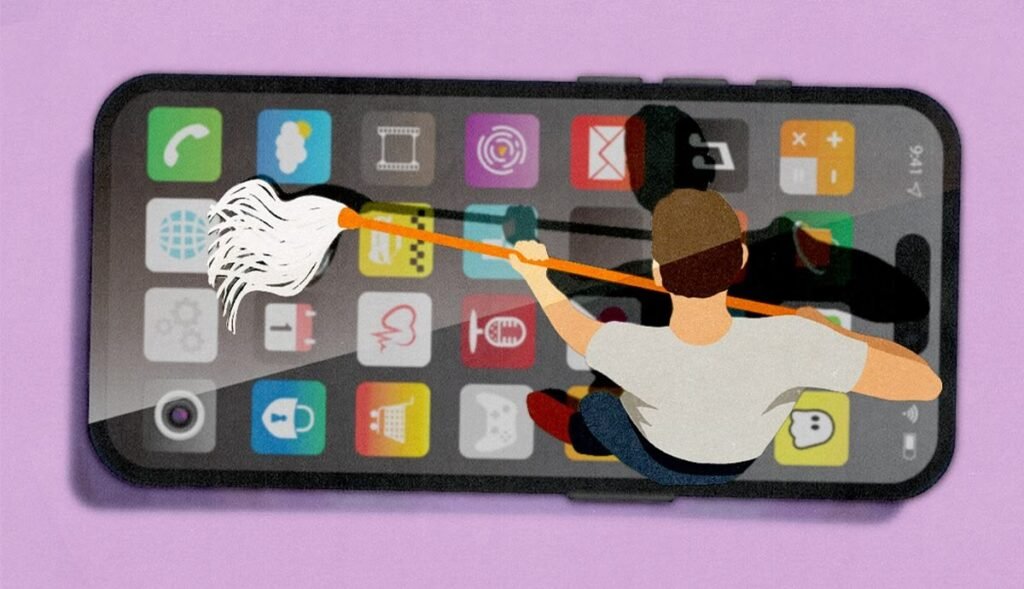
I cannot stress this enough. I spent my first two weeks frustrated with AR fitness apps, convinced they were broken or overhyped. Turns out, the problem was entirely my setup.
Here’s what I was doing wrong:
- Propping my phone on a high shelf so it was looking down at me
- Working out in my bedroom at night with one side lamp on
- Wearing dark leggings against a dark floor mat
The AR tracking systems in these apps rely on your camera to see your body outline, joint positions, and movement. If the lighting is bad, the background is cluttered, or the angle is off — the tracking fails, and the whole experience falls apart.
What actually works:
- Place your phone at roughly hip to chest height, slightly angled upward
- Make sure your full body is visible in the frame — not just your torso
- Work out in a well-lit room, ideally with light coming toward you (not from behind)
- Wear clothes that contrast with your background — light top, dark floor, or vice versa
- Clear at least 6 feet of open space behind and in front of you
Once I fixed these things, the same apps I’d been dismissing suddenly worked beautifully. It felt like a completely different experience.
3. Start With Free Apps — Seriously, Don’t Pay Anything Yet

The AR fitness market has a lot of premium products, and some of them are genuinely worth paying for. But as a beginner, you have no idea yet what type of experience you actually like. Paying $20/month for something before you know your preferences is just wasteful.
The good news: there are excellent free entry points.
Nike Training Club remains one of the best free fitness apps out there, and it includes AR-assisted movement guidance for bodyweight workouts. No equipment, no subscription, just your phone.
Google Fit and Apple Fitness both offer some AR-adjacent features tied to movement tracking, and they’re built into your phone already.
Zombies, Run! is technically more audio-based than visual AR, but it uses your real environment as the setting for a fitness narrative, which counts as mixed-reality fitness in my book — and it’s brilliant for getting beginners outside and moving.
Spend 2-3 weeks with free options first. Figure out what you actually enjoy — the immersive game-like stuff, the clinical form-correction stuff, or the structured class-style stuff. Then invest in a paid option that matches your preference.
For a broader look at free and paid options, 6 Easy AR Fitness Apps That Keep You Consistent breaks down which ones are genuinely worth your time.
4. Form Feedback Is the Feature You’ll Use Most — Learn to Use It Properly
One of the things that genuinely separates AR fitness from just watching a YouTube workout video is real-time form feedback. When the app watches you through your camera and tells you your knee is caving inward or your back is rounding, that’s not a gimmick — that’s actual coaching.
But here’s what I didn’t realize at first: you have to act on the feedback in the moment for it to be valuable. It sounds obvious, but when you’re mid-workout and breathing hard, it’s easy to just register the notification and keep going without actually adjusting.
How to actually use form feedback:
- When a correction appears, pause the movement for 2-3 seconds and consciously adjust
- Don’t be embarrassed if corrections come up constantly at first — that’s the point
- After the workout, review the summary screen (most apps give you a replay or feedback log)
- Write down 1-2 recurring corrections to focus on in your next session
I had a habit of dropping my right shoulder during push-ups that I’d had for years. I thought my form was fine. Kaia Health flagged it in the first session. Three weeks of conscious correction later, it was gone. That’s worth more than any motivational fitness video.
5. The “Fun” Factor Is Real — and It’s Why You’ll Actually Stay Consistent
Here’s something fitness apps don’t advertise directly, but it’s maybe the most important thing I’ve noticed: AR fitness apps have better retention rates than traditional workout methods for beginners. Not because they’re easier, but because they’re more engaging.
When your workout feels like a game — when you’re hitting targets, earning achievements, following a story, or competing against your own avatar — you actually show up for it. The mental barrier to starting drops significantly.
I tracked my own consistency for three months:
| Workout Method | Sessions Planned | Sessions Completed | Completion Rate |
|---|---|---|---|
| Traditional gym | 12 | 5 | 42% |
| YouTube workout videos | 12 | 7 | 58% |
| AR fitness apps | 12 | 11 | 92% |
This wasn’t because AR workouts were shorter or less intense. Some of them absolutely destroyed me. It was purely about how much I dreaded (or didn’t dread) starting them.
If you’ve struggled with consistency before, this is genuinely one of the most underrated benefits of AR fitness. Give it at least 30 days before you judge it.
6. Not Every AR App Tracks the Same Things — Know What You Actually Need
This is something beginners don’t think about until they’re already three weeks into the wrong app.
Different AR fitness tools track and prioritize different metrics. Some focus heavily on calorie burn and cardio output. Others are built around movement quality and injury prevention. Some are almost entirely gamified with points and leaderboards. Others are clinical and data-heavy.
Before committing to an app, ask yourself:
What’s my actual goal right now?
- If it’s weight loss / calorie burn → look for apps with strong cardio tracking and session intensity metrics
- If it’s building muscle / strength → look for apps with rep counting, load progression, and form feedback
- If it’s recovering from an injury or managing pain → look at clinical AR tools like Kaia Health
- If it’s just staying active and having fun → gamified options like Supernatural or Zombies, Run! are great
Mixing goals is fine, but picking an app that aligns with your primary goal will get you results faster and keep you motivated longer.
Check out 5 Smart AR Fitness Apps I Use Every Day for a real breakdown of how different apps serve different goals in practice.
7. You’ll Hit a Plateau — Here’s How to Push Through It
Nobody talks about this enough. AR fitness has a honeymoon phase.
The first 3-4 weeks feel great. Everything is new, the technology is cool, and you’re seeing progress because you’re doing more than you were before. Then around week five or six, you might notice that sessions feel stale, the novelty has worn off, and motivation dips.
This is completely normal. It’s not a sign that AR fitness doesn’t work. It’s a sign that your body and brain have adapted, and you need to level up.
Practical ways to push through the plateau:
- Switch to a harder workout tier. Most apps have difficulty levels. If you’ve been on beginner for six weeks, move to intermediate even if it scares you a little.
- Add a second AR app. Using two apps with different styles (one gamified, one technical) keeps variety in your routine.
- Set a specific challenge. Some apps have 30-day challenges, streak systems, or skill unlocks. Working toward something concrete breaks the monotony.
- Try a new movement category. If you’ve only been doing cardio, try the strength or yoga modules. If you’ve only done solo workouts, try multiplayer or class modes.
The plateau is a sign you’ve built a base. That’s a good thing. The goal is to keep building on it.
8. Your Data Is Only Useful If You Actually Review It
AR fitness apps generate a surprising amount of data — session duration, calorie estimates, form scores, consistency streaks, heart rate zones, movement quality ratings. Most beginners collect this data and never look at it.
That’s a missed opportunity.
Reviewing your data once a week (just 10 minutes) changes the way you train. You start noticing patterns:
- “I always perform worse on Thursdays” (probably because Wednesday is a late work night)
- “My form score drops in the last 10 minutes of long sessions” (fatigue is affecting quality)
- “I’ve been at the same intensity for 3 weeks” (time to progress)
A simple weekly review habit:
- Open your app’s progress or history section
- Note your average session duration for the week
- Check any recurring form corrections
- Compare this week’s metrics to two weeks ago
- Decide on one thing to adjust for next week
It takes less time than scrolling social media for ten minutes, and it compounds over months into a real understanding of how your body responds to training.
For beginners who want to get the most out of the basics before diving into advanced features, 9 Beginner AR Body Health Secrets to Transform Your Self-Care is a really useful companion read.
The Mistakes I Made (So You Don’t Have To)
Since I’ve been fairly candid throughout, let me just round up the specific errors I made so you can skip them entirely:
Bought into a paid subscription on day one. Spent $15 on a monthly plan for an app I didn’t enjoy and cancelled after ten days. Free trials exist. Use them.
Skipped rest days because the app “made it easy.” AR fitness feels less like exercise when it’s fun, so I overdid it in the first two weeks. By week three I was genuinely sore and unmotivated. Rest days aren’t optional — schedule them deliberately.
Compared my progress to social media clips. People post their best sessions. You will not look as fluid as the person on Instagram during your first week of AR workouts. That’s fine.
Gave up too quickly when tracking glitched. Early on, if the app lost my body tracking mid-session, I’d get annoyed and quit. Now I just reset my position, make sure I’m in frame, and keep going. Technical hiccups are part of the experience, especially with camera-based AR. Don’t let a 10-second glitch end a 20-minute session.
Putting It All Together
AR fitness isn’t magic and it’s not going to transform your body overnight just because it’s more interesting than a treadmill. But for beginners specifically, it solves two problems that kill most fitness attempts: boredom and the lack of feedback.
Getting those two things right makes everything else easier — the consistency, the progression, the habit formation. And the technology has genuinely gotten good enough that you don’t need to be a tech person to benefit from it.
Start simple. Fix your phone setup. Use free apps first. Pay attention to form feedback. Review your data. Don’t give up after the honeymoon phase ends.