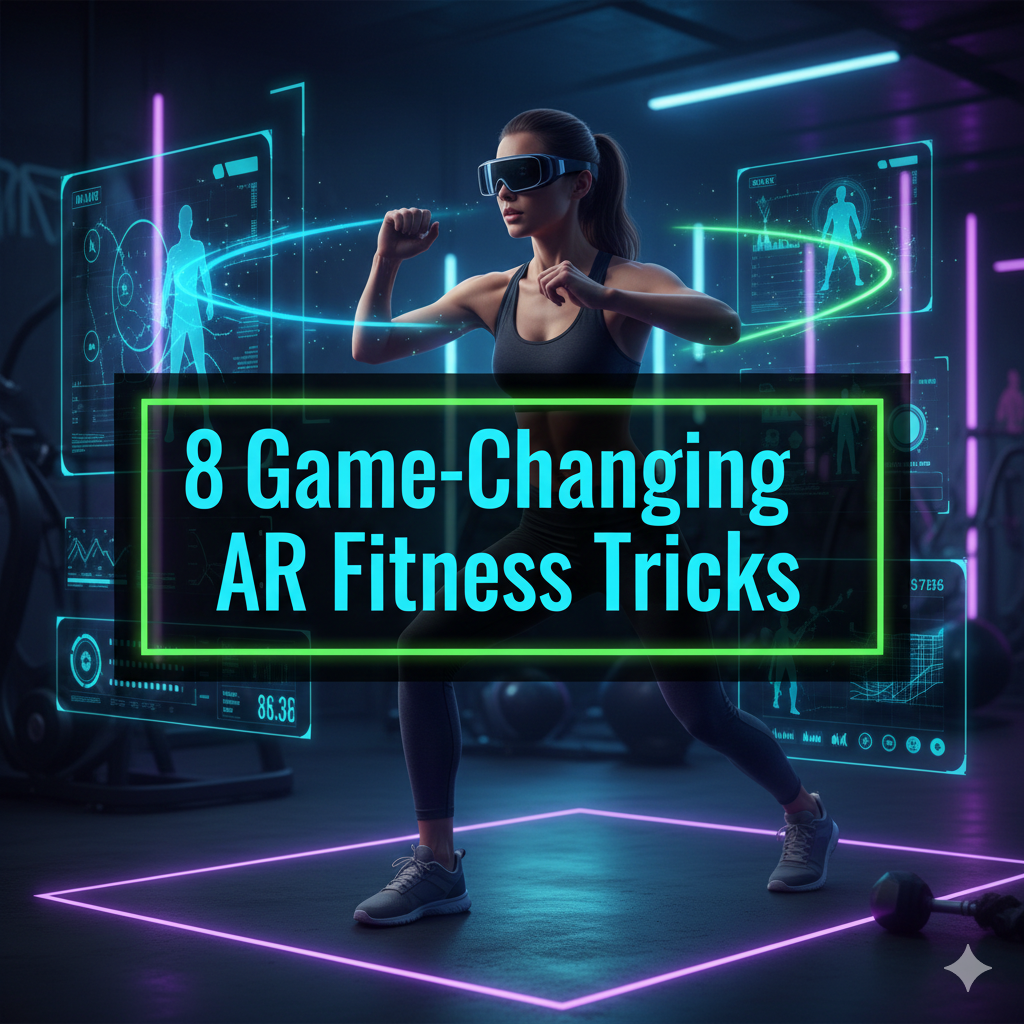
Now imagine putting on a headset or opening an app and before you know it your boring living room is transformed into a jungle obstacle course. Your pushups earn you points. It’s like having a virtual coach standing next to you in real time and adjusting your form. This is not a video game. This is AR fitness — and it’s taking the exercise world by storm.
Augmented reality, or AR, supplements the real world with digital elements. Unlike virtual reality, you don’t get completely sucked into a fake world. Instead, AR overlays things onto your real world. It’s like Pokémon GO, but for your workout.
AR fitness is no longer some futuristic fantasy. AR-powered apps and devices are already being used by millions of people to smash their fitness goals. Whether you’re looking to slim down, bulk up, boost your speed, or just make your workouts less dull — AR has something in store for you.
In this article, here are 8 mind-blowing AR fitness tricks that can change your workout forever. These tricks are practical, down-to-earth, and proven to work.
AR Fitness Is Blowing Up Right Now — Here’s Why
Before we explore the tricks, here’s a brief overview of why AR fitness is exploding.
According to a recent report by Grand View Research, the global AR in fitness market is projected to surpass $1.7 billion by 2030. That’s a massive jump. People are burnt out on typical gym regimes. They are in need of something new, more interactive, and engaging.
AR fitness delivers all three. It gamifies exercise. It gives instant feedback. It keeps you engaged long enough to see real progress. And the best part? You don’t need expensive equipment to start.
Trick #1 — Exercise Around the House Using AR Apps
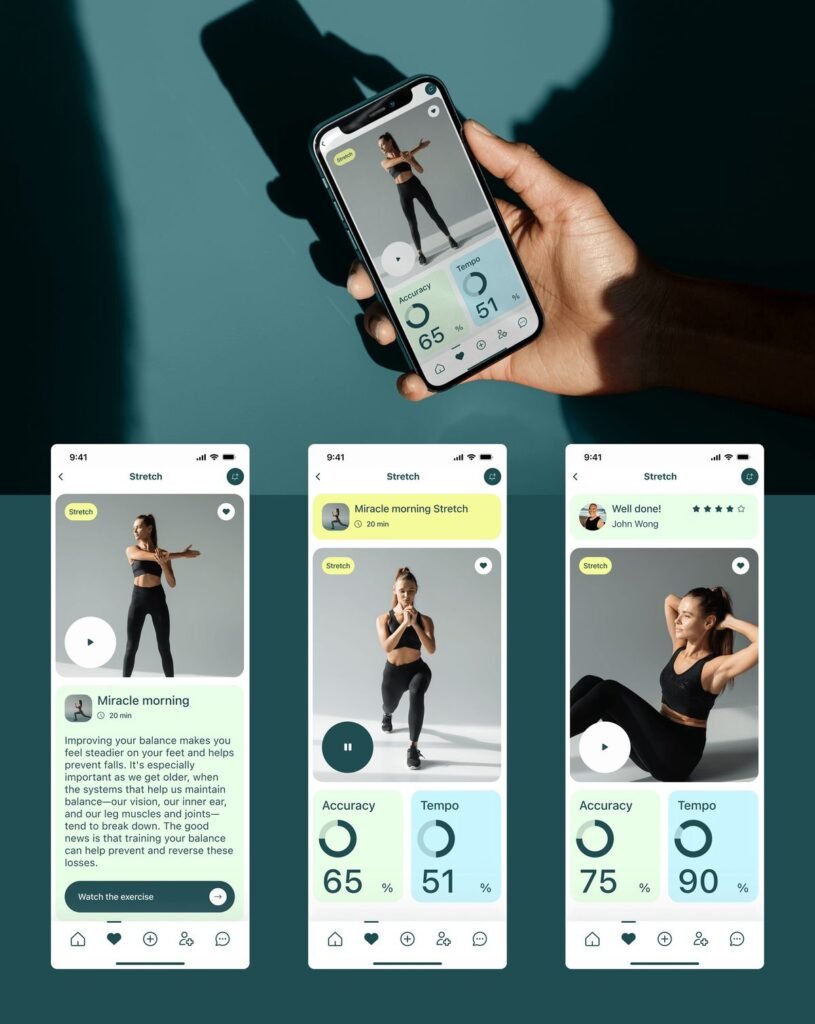
One of AR fitness’s coolest tricks is using a smartphone camera to map a location and create a seamless virtual environment for exercise within that space.
Apps like Supernatural (for Meta Quest) and FitXR employ AR tech to transform any space into a complete workout environment. You can place virtual targets, obstacles, and coaches right inside your living room.
How to Set It Up
- Clear an area of 6×6 feet in your room
- Open your AR fitness app
- Scan your floor and walls with the app
- Follow the on-screen setup guide
Once configured, the app overlays virtual elements directly into your real space. You punch targets suspended in the air. You crouch to flee objects flying towards you. Your body becomes the controller.
This trick is particularly good for those who dislike the gym. You get a whole-body workout without going outside.
Pro Tip: Use this trick early in the morning when your space is still neat. An uncluttered area will help the AR app track better.
Trick #2 — Allow a Virtual Coach to Correct Your Form on the Fly
Bad form is one of the main reasons people get hurt while exercising. An improper squat angle or a bent back while doing deadlifts can cause serious damage over the long term.
AR fitness addresses this with virtual coaching. Apps such as Kaia Health and HomeCourt analyze your body movements in real time using your phone camera. The app adds digital markers to your joints and tells you precisely what form errors you’re making.
What an AR Coach Can Track
| Body Part | What It Monitors |
|---|---|
| Knees | Alignment during squats and lunges |
| Spine | Posture during deadlifts and rows |
| Shoulders | Rotation during pushups and presses |
| Hips | Depth and angle when you squat |
| Elbows | Positioning during curls and tricep work |
It’s like having a personal trainer in your pocket — one that doesn’t cost $100 an hour.
AR Form Coaching — How to Make the Most of It
Set your phone or tablet back far enough to see your entire body. Wear fitted clothes so the app can read your body shape correctly. Begin with slow reps so the AI has time to analyze your movements properly.
The feedback is usually instant. A red overlay indicates your form is incorrect. Green means you’re nailing it. It’s straightforward, visual, and very powerful.
Trick #3 — Gamify Your Cardio With AR Running Apps
Running is healthy. Running is also super boring for many people. Enter AR running apps.
Apps like Zombies, Run! and RunAR turn your outside jog into an adventure. In Zombies, Run!, you listen to a story through your earbuds as zombies pursue you. You have to accelerate to get away from them. It sounds absurd, but it really works.
According to a study published in the Journal of Medical Internet Research, gamified running apps encourage runners to run an average of 30% longer than those who don’t use them.
AR Running Tips to Try This Week
Pick a story-driven app. Narrative-driven games keep your brain occupied so you don’t think about how tired your legs are.
Use AR landmarks. Some apps allow you to set up virtual checkpoints along your route. Reaching each one rewards you with a prize or power-up.
Challenge friends virtually. Many AR running apps allow you to race against ghost avatars of friends on your real-life course. Through your phone screen you can see their avatar running alongside you in real time.
These tricks make a 20-minute jog something you actually want to do.
Trick #4 — Use AR Body Scanning to Track Muscle Groups
Most people have no idea which muscles they’re actually working during a workout. They perform bicep curls without realizing their shoulders are doing the bulk of the work.
AR body scanning tools address this problem visually. Apps like Visible Body and 3D4Medical show a 3D model of your muscles overlaid on top of your own body through your camera.
Why This Trick Boosts Your Workout
When you know which muscles a movement activates, you can work them more effectively. You slow down. You engage the correct muscles. Your mind-muscle connection improves dramatically.
Here’s a simple breakdown of how AR muscle tracking helps various workout types:
| Workout Type | AR Benefit |
|---|---|
| Strength Training | Shows exactly which muscles you fire up each rep |
| Yoga | Highlights muscle groups for each pose |
| HIIT | Tracks which muscles fatigue first |
| Stretching | Identifies tight areas needing focus |
| Pilates | Maps core engagement patterns |
This trick is golden for beginners. Rather than guessing, you can see exactly what’s going on inside your body.
Trick #5 — Use AR Glasses for Hands-Free Workout Data
Taking out your phone during exercise disrupts your concentration. Stopping to check your heart rate or reps kills your momentum every time.
AR glasses such as Meta Ray-Bans, Vuzix Blade, and upcoming versions from Apple and Google overcome this by displaying your fitness data right in your field of vision.
What You Can See Mid-Workout
- Heart rate in real time
- Calories burned so far
- Rep counter for strength exercises
- Pace and distance during runs
- Rest timer between sets
All this information hovers in front of your eyes without you needing to touch anything. You keep moving. Your data keeps updating.
Using AR Glasses for Fitness — How to Get Started
For best results, pair your AR glasses with a fitness tracker or smartwatch. Apps such as Strava and Garmin Connect can push data to compatible AR devices. Set up alerts to have the glasses notify you when your heart rate reaches your target zone.
This trick is still being developed, but early adopters say hands-free data display makes workouts feel smoother and more focused.
Trick #6 — Join AR Fitness Classes With Real People Around the World
Exercising alone becomes stale quickly. Group fitness classes are inspirational, but more often than not you can’t make it.
AR fitness changes that. Platforms such as Supernatural, Les Mills Body Combat, and VRWorkout allow you to participate in live or on-demand classes with real instructors and actual participants — all in augmented reality.
You are surrounded by other people’s avatars. The instructor appears life-size in your space. The energy feels surprisingly real.
Benefits of AR Group Fitness Classes
Accountability goes up. You work harder when others can see your avatar in the class. No one wants to be the slacker.
Scheduling becomes flexible. Most platforms host classes 24 hours a day, seven days a week. Work a night shift? There’s a 3 AM AR yoga class with your name on it.
Community keeps you consistent. AR platforms often have leaderboards, friend lists, and community challenges. This social layer is one of the most compelling motivators for sustained long-term fitness.
According to a study from Stanford University, people exercised 200% more when they believed they were working with a partner — even a virtual one. AR group classes leverage this psychology directly.
Trick #7 — Build Custom AR Workout Challenges and Goals
Generic workout plans don’t work for everyone. Your goals are specific to you. AR fitness platforms are now allowing users to create completely custom challenges — using augmented reality to keep them on track.
Apps like Fitbit’s AR features, Strava’s AR integrations, and standalone apps like GymVis let you set custom goals and visualize your progress through AR overlays. For a deeper look at how AR technology is reshaping health and body performance, check out AR Body Health — a great resource for anyone serious about using augmented reality in their fitness journey.
How to Build Your Own AR Fitness Challenge
Step 1: Pick a specific goal. Examples — run 50 miles this month, do 1,000 pushups in the next 30 days, or hold a 3-minute plank by end of the week.
Step 2: Set up an AR progress tracker. The app overlays a visual progress bar or 3D milestone marker in your real world. The marker grows or changes every time you finish a session.
Step 3: Add rewards. Certain apps allow you to earn virtual badges, custom AR environments, or avatar upgrades when you reach milestones. These small rewards trigger your brain’s dopamine system and keep you coming back.
Step 4: Share your challenge. Invite friends to join or compete. Public challenges increase your likelihood of follow-through by 65%, according to the American Society of Training and Development.
This is a great trick for those who lose motivation after a few weeks. The visual, gamified nature of AR challenges makes it far more difficult to quit.
Trick #8 — Use AR for Active Recovery and Mindfulness

Recovery is equally as important as the workout itself. But most people skip it because it’s dull. Sitting still and doing breathing exercises just isn’t as exciting as lifting weights.
AR fitness flips this. Apps like TRIPP, Guided Meditation VR, and Calm’s AR features create immersive augmented environments tailored for recovery, breathwork, and mindfulness.
How AR Enhances Recovery
Through your phone or headset, you see soothing environments layered over your real surroundings. A tranquil forest materializes in your living room. Glowing orbs guide your breathing, expanding and contracting on screen. Gentle AR visuals allow your nervous system to quiet down after hard training.
Active Recovery Moves to Pair With AR
| Recovery Activity | AR Enhancement |
|---|---|
| Foam Rolling | AR muscle map shows areas to target |
| Stretching | Virtual timer and form guide |
| Breathwork | Animated breathing guide overlay |
| Meditation | Immersive calming AR environment |
| Mobility Work | Joint angle tracker through camera |
When recovery actually feels good, you do it more often — which results in fewer injuries and faster progress.
AR Fitness vs. Traditional Workout Methods
Here’s a quick comparison of how AR fitness stacks up against traditional exercise approaches:
| Feature | Traditional Workout | AR Fitness |
|---|---|---|
| Form Feedback | Requires a trainer | Built-in real-time feedback |
| Motivation | Relies on willpower | Gamified and social |
| Variety | Limited by equipment | Endless virtual environments |
| Accessibility | Gym required for best results | Works anywhere |
| Cost | Gym fees + trainer fees | App subscription (often affordable) |
| Progress Tracking | Manual or basic apps | Visual, immersive tracking |
The numbers speak clearly. AR fitness is no gimmick. It solves real problems that traditional workouts struggle with.
Getting Started With AR Fitness — A Beginner Roadmap
You don’t have to shell out thousands of dollars to start your AR fitness journey. Here’s a straightforward path to follow:
Start with your phone. Most AR fitness apps run on pretty much any modern iPhone or Android. Download one free app — Zombies, Run! or Nike Training Club with AR features — and test it for a week.
Upgrade to a smartwatch. A basic smartwatch offers your AR apps far better data. Heart rate, steps, and sleep data improve the accuracy of virtual coaching.
Consider a standalone headset later. If you enjoy AR fitness after a few months, a Meta Quest 3 or comparable device will unlock an entirely new tier of immersive workouts.
Join a community. Find AR fitness groups on Reddit, Discord, or Facebook. These communities share tips, app recommendations, and motivation.
FAQs About AR Fitness Tricks
What is AR fitness exactly? AR fitness is a fusion of augmented reality technology and exercise. It places digital elements — coaches, targets, data, and environments — on top of your real world using a phone, tablet, or headset. It makes workouts less boring and more effective.
Do I need expensive equipment to try AR fitness? No. Most AR fitness tricks in this article work with only a smartphone. You only need a headset if you want a more immersive experience. Many top AR fitness apps are free, or cost less than a single gym visit.
Is AR fitness actually effective for weight loss and muscle building? Yes. The secret is consistency, and AR fitness makes this far easier by gamifying workouts. Research indicates that gamified exercise results in longer and more frequent sessions, which directly supports weight loss and muscle gain.
Can beginners use AR fitness apps? Absolutely. Most AR fitness apps cater to newcomers. They adjust difficulty on their own and guide you step by step. The virtual coaching feature is extremely useful for those just learning proper form.
Are AR fitness apps suitable for children and teenagers? Most apps are age-rated and appropriate for teens when used responsibly. Always check the age recommendation on the app store before downloading. Supervised usage is recommended for younger users.
What are the best AR fitness apps right now? Some of the leading options are Supernatural (Meta Quest), Zombies, Run! (iOS/Android), Kaia Health, FitXR, HomeCourt, and TRIPP. Each fulfills a different fitness need, so try a few and see what clicks with you.
Can AR fitness replace going to the gym entirely? For many people, yes. AR fitness can deliver full-body cardio, strength training, flexibility work, and recovery — all at home. But if your focus is heavy barbell lifting or access to specialized machines, you may still want a gym for some sessions.
The Future of AR Fitness Is Already Here
AR fitness isn’t coming eventually. It is here right now. These 8 essential AR fitness tricks give you everything you need to make exercise more fun, more effective, and more sustainable.
Whether you’re using AR to refine your form, turning your cardio into a game, joining fitness classes with people around the world, or making recovery less of a chore — every trick on this list gets you closer to your goals. The technology keeps getting better. The apps keep improving. And the AR fitness-loving community continues to grow.
The single biggest mistake you can make is to wait for the “perfect” setup before starting. Your smartphone is already powerful enough to get started today. Pick one trick from this list. Try it this week. See how it feels.
Your most effective workouts may just be the ones that feel like play.